
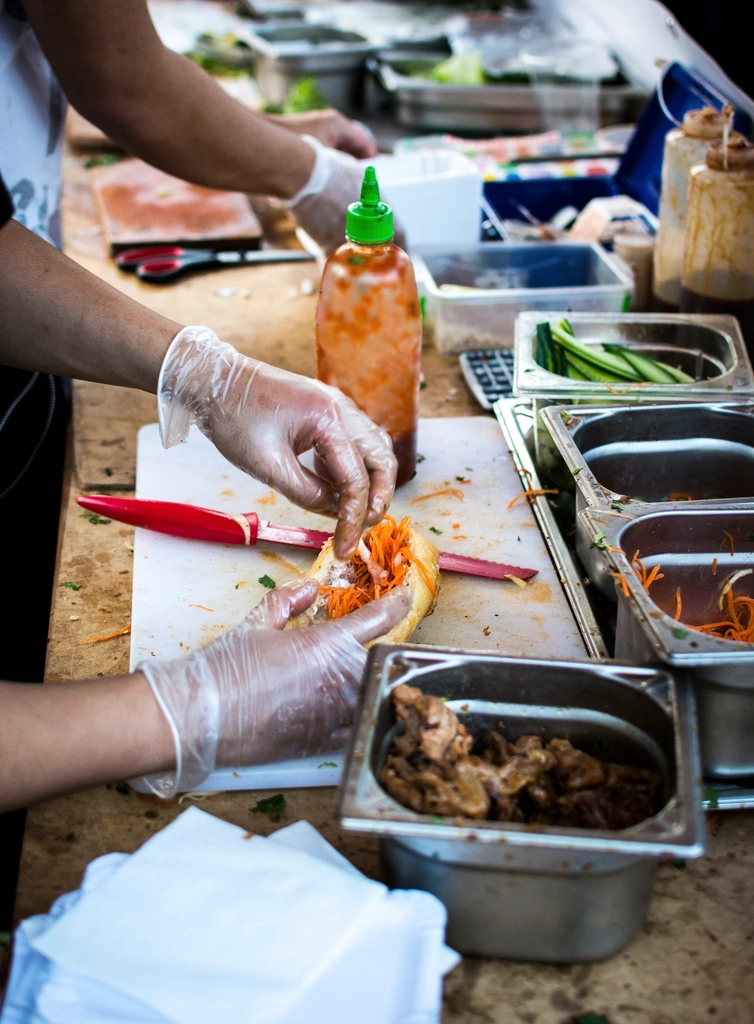
It's 8:40 PM on a Saturday. Every table is full, two more parties are waiting at the door, and a waiter is scribbling on a small paper pad while a customer changes their mind about the paneer tikka twice. He rips the top sheet off, walks it to the kitchen, and hands it to whoever's closest to the pass.
Ten minutes later, table 6 gets a plate of butter chicken they never ordered. Table 9's dal makhani, actually ordered, never shows up at all. The waiter swears he wrote it down. The kitchen swears they never got it. Nobody's lying — the ticket probably fell behind the counter, or got read wrong in the noise.
This is not a one-off bad night. If you run a restaurant, cafe, or cloud kitchen in India, some version of this happens most weekends. And it's rarely a staffing problem. It's a system problem.
The real gap: order, kitchen, and bill are three different stories
In a paper-based restaurant, an order actually exists in three separate places, and none of them talk to each other.
There's what the customer said. There's what got written on the KOT (kitchen order ticket). And there's what eventually gets typed into the billing register at the end of the meal. Each handoff is a chance for something to change, get lost, or get misread.
A waiter's handwriting says "2 veg" when he meant "2 non-veg." The kitchen cooks what's on the paper, not what was actually ordered. By the time anyone notices, the food is already made — and now it's either wasted or the customer is talked into keeping it, which isn't a great way to end a meal.
On the billing side, it gets worse. If a table adds a plate of naan halfway through dinner, someone has to remember to write it down, walk it to the kitchen, and later remember to add it to the final bill. Multiply this across fifteen tables during a rush and it's obvious why bills come out wrong — either undercharging (money quietly leaking out of the business every single night) or overcharging (an angry customer arguing at the counter while five other people wait to pay).
Add a cloud kitchen into the mix and the gap gets a third dimension. Orders are landing from Zomato, Swiggy, and maybe your own WhatsApp number, all at once, all needing separate acknowledgment, separate ticket printing, separate tracking of what's been packed and picked up. One missed notification on a tablet buried under a stack of packaging and an order goes out twenty minutes late — or doesn't go out at all.
What restaurant management software actually changes
Good restaurant management software doesn't try to make waiters write neater. It removes the handoffs where things go wrong in the first place.
When an order is punched in — from a table, a counter, or a delivery app — it goes straight to a kitchen display screen. No paper, no walking, no handwriting to misread. The chef sees exactly what was ordered, for which table, in what sequence, the moment it's placed.
When the kitchen marks an item as prepared or served, that status updates the order in real time. The bill isn't compiled at the end from memory — it's already sitting there, built line by line from what was actually rung in and served. No one has to reconstruct what happened three hours ago.
And every dish sold quietly deducts from inventory. Sell a butter chicken, and the system knows roughly how much butter, cream, and chicken just left your stock — without anyone manually updating a register. Over a week, that adds up to something owners rarely have without software: an honest picture of what's actually being used, versus what's disappearing.
Paper KOTs & Manual Billing vs. Restaurant Management Software
| Aspect | Paper KOTs & Manual Billing | Restaurant Management Software |
|---|---|---|
| Order accuracy | Depends on handwriting and someone walking the ticket over correctly | Order goes to kitchen display exactly as entered, no re-writing |
| Kitchen-billing sync | Bill assembled from memory or a separate register at the end | Bill builds automatically from what's ordered and served |
| Inventory tracking | Manual stock counts, usually done once a day or once a week | Stock deducts automatically as dishes are sold |
| Multi-channel orders | Separate tablets, separate printouts, easy to miss one | Dine-in, takeaway, and delivery orders land in one queue |
| Reporting | End-of-day manual tallying, error-prone and slow | Sales, item performance, and waste visible instantly |
Common mistakes restaurants make when they try to fix this
A lot of restaurants do try to modernize — and then get only partway there. Some patterns worth watching for:
- Digitizing billing but not the kitchen. A POS at the counter is progress, but if the kitchen still works off shouted orders or paper, the accuracy gap never actually closes. The bill gets faster to print; it doesn't get more correct.
- Ignoring inventory sync entirely. Owners often treat inventory as a separate, once-a-week stock-taking chore instead of something tied to every sale. That's how a restaurant discovers it's "out of paneer" mid-rush with no warning.
- Not training staff properly on the new system. Software rolled out on a Friday night with no practice run just adds a second system for staff to fumble with, on top of the old one. The first week matters more than the software itself.
- Treating delivery apps as an afterthought. If Zomato and Swiggy orders aren't flowing into the same kitchen queue as dine-in, someone is always going to be juggling three tablets and missing one.
- Picking software built for a different kind of restaurant. A quick-service cafe and a full-service dine-in restaurant don't need the same workflow. Software forced into the wrong shape gets worked around, not used.
What to actually look for in restaurant software
Not all restaurant management software is built the same way, and the difference shows up exactly during the moments you need it most — a packed Saturday night, not a quiet Tuesday afternoon.
A real-time kitchen display, not just a printer
The kitchen needs to see orders the instant they're placed, with clear status for what's pending, in progress, or ready. A KOT printer bolted onto a POS is better than paper, but it's still a queue of slips, not a live view.
Genuine multi-channel order support
Dine-in, takeaway, and delivery orders — from your own counter and from aggregator apps — should land in one place the kitchen actually looks at. If staff are checking four screens to know what to cook next, the software hasn't actually solved the juggling problem.
Inventory that updates itself
Look for automatic deduction tied to recipes, not a manual stock module that still needs someone to sit down and update it. The whole point is that nobody has to remember to do it.
Something staff can actually use during a rush
If a system needs a training manual to punch in a simple order, it will get abandoned the first busy night. The best test is simple: hand it to your newest waiter on a Friday and see how long it takes them to get comfortable.
The restaurants that struggle most with software aren't the ones with old habits — they're the ones that adopted a system nobody bothered to fit to how their kitchen actually runs.
Closing the gap for good
The order-to-kitchen gap isn't a discipline problem you can train your way out of. It's a structural one — paper and shouted orders will always leave room for something to get lost between the dining room and the kitchen.
Kakshlink Technology builds restaurant management software specifically for restaurants, cafes, and cloud kitchens in India dealing with exactly this — order mistakes, disconnected billing, and inventory that's really just a guess. If you want to see what closing that gap looks like for your own restaurant, take a look at Kakshlink Technology's Restaurant Management software and get a free quote.
Frequently asked questions
Does this work for cloud kitchens with multiple delivery apps?
Yes. Orders from Zomato, Swiggy, and other delivery apps can flow into the same kitchen queue as your own dine-in or direct orders, so the kitchen isn't checking separate tablets for each platform.
Can it track ingredient-level inventory?
Yes, when dishes are linked to recipes, selling a dish automatically deducts the ingredients that went into it, rather than just tracking finished-dish counts.
Is it hard to train staff on?
It shouldn't be. Good restaurant software is built around how orders already flow in a busy kitchen, so most staff pick up the basics — placing an order, marking it served — within a shift or two of hands-on use.
What does it cost?
Cost depends on the size of your restaurant, how many locations you run, and which features you need (kitchen display, inventory, multi-channel orders, reporting). The best way to get an accurate number is to get a free quote based on your specific setup.